
 English
 Polski

JV Casino customer support channels
Start with JV Casino customer support in live chat when an agent needs to look at an account, payment or bonus question. The operator also lists a support email for detailed enquiries and documents it asks you to send. Access questions can start in the widget too. If all you need is the password reset route, start with the login guide.
| Support option | When to use it | How to find it |
|---|---|---|
| 24/7 live chat | A question you want to discuss with a support agent | Open the support widget and select live chat. The author used Polish; English is also available. |
| Support email | A detailed enquiry or documents the operator has specifically requested | Use the operator’s listed support address. |
| Help centre | General questions about bonuses, payments and accounts | Search the help section in the widget or expand the FAQ on the Polish homepage. |
The operator lists social and messaging channels such as Telegram and WhatsApp in its footer. For an account issue, use the support widget or the operator’s listed support email so you can keep your correspondence with the case. Check with the agent before attaching a document and follow the instructions they give you.
Find the chat widget and help topics
Open the support widget on the operator’s homepage. You can find it on the guest page as well as in the signed-in interface. If it opens in Polish, look for W czym mogę pomóc? above the help options. The search field says Wpiszcie, aby znaleźć, the button to start a chat says Rozpocznij czat, and previous conversations are under Historia dialogów.
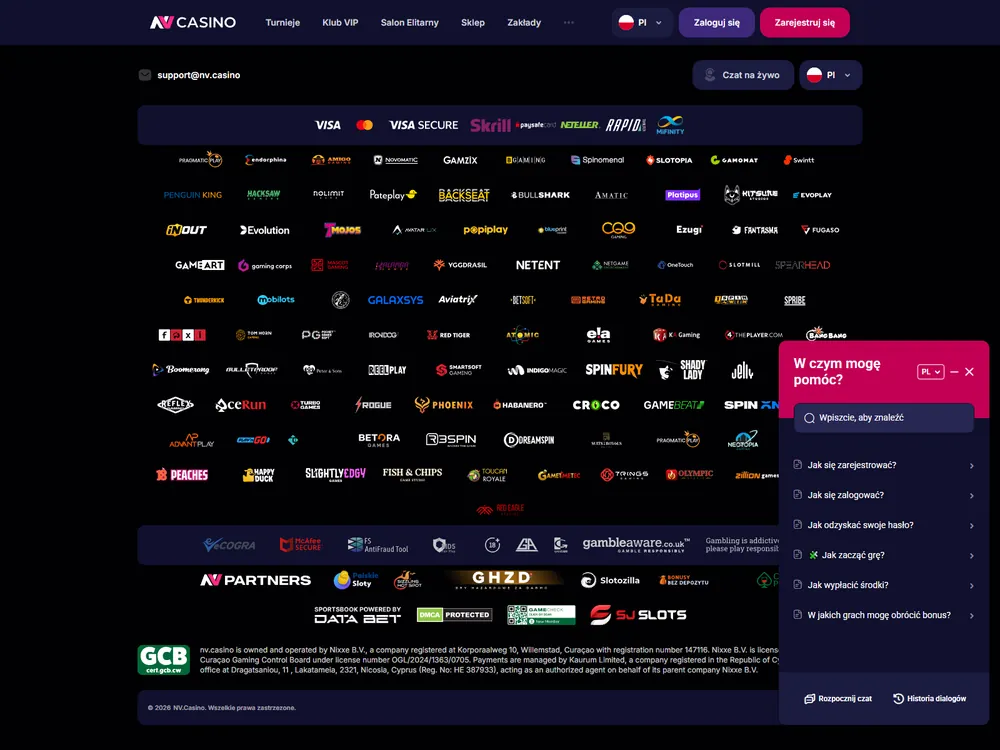
The help search covers common tasks such as signing in, resetting a password, withdrawing funds and finding out which games count towards bonus wagering. The Polish guest homepage also shows three FAQ entries on licensing and safety, registration and how the account is used, and PLN and payments. Select Pokaż więcej to expand that FAQ. The English homepage groups help around bonuses, payments and accounts.
If registration stops before you can sign in, start from the guest homepage. The operator also directs registration enquiries to its support email. In your message, identify the step you reached, which field or confirmation caused the problem and whether the confirmation message arrived. Those details give support a specific part of the process to check.
How to send a useful support request
Start a single conversation with the details that let the agent find your account activity. A message about a missing reward can identify the offer, the bet slips that qualified and what the reward card currently displays. For a payment enquiry, give the operation reference and the last status shown in the cashier. For a problem with a game round or another casino issue, including a profile problem, contact support within 10 days of the incident and give the exact time to the minute. The operator may decline to investigate on technical grounds if you leave out the time. Include the action you took and the result on screen.
- Open the widget and search for your topic. Select Rozpocznij czat if your question depends on a specific bet, payment or account status.
- Say whether you want to continue in Polish or English. State what went wrong and what you want the operator to check.
- Give the date and time, your relevant transaction or bet-slip references, and the amount and currency where they matter. Include the exact error or status shown.
- Read the agent’s instructions before sending anything else. Use the operator’s listed support route for any documents it specifically requests.
- To follow up, open Historia dialogów and find the original thread. Keep the conversation and check the relevant account screen for the outcome.
What to include for common account issues
Give support the relevant account detail, payment reference or transfer reference. If you want to change the email address or phone number on the account, explain which contact detail needs changing. The operator checks ownership when handling that change. Ordinary account closure also goes through support. Ask the agent to confirm the requested action so that the thread gives you a record of what you asked for.
For a pending payment, report the status you can actually see. If the cashier and your bank or wallet show different references, identify which record each one comes from.
A crypto transfer on an unsupported network leaves the deposit uncredited. To request recovery, give support the network you used and the transfer reference.
What happened when a free bet was missing
I used JV Casino customer support in Polish after a daily sports mission failed to credit the expected 40 PLN free bet. The third qualifying slip had settled, but the mission reward still showed 0 PLN. I opened a live chat to report the missing credit.
Which records established eligibility
The relevant evidence was the mission text, the three accepted slips and the reward status after the final slip settled. The mission required three settled sports bets using cash funds and odds of at least 1.60. My three slips showed accepted odds of 2.57, 2.71 and 2.53. Each cleared the threshold. Together those records showed what was due and what the account had actually credited.
Check the odds on the accepted slip if you report a similar issue. An odds value displayed elsewhere on the sportsbook may differ from the price recorded on your bet. Give support the accepted values alongside the slip references, and include the reward type and amount displayed in your account. That lets an agent check eligibility before investigating a delayed credit.
What support did in the chat
The first substantive reply came from an agent 85 seconds after I sent my enquiry. An automated acknowledgement came earlier.
The agent passed the three slip references to the promotions team within the original chat, keeping the initial report and the handoff in one thread.
| Stage | Time from sending | What happened |
|---|---|---|
| Enquiry sent | 0 seconds | The author reported a missing 40 PLN free bet after placing three qualifying bets. |
| Automated reply | 2 seconds | The chat sent an automated acknowledgement. |
| First substantive reply | 85 seconds | A member of staff replied. |
| Free bet credited | 8 minutes | The 40 PLN free bet appeared in the account. The separate 25.70 PLN cash payout was unaffected. |
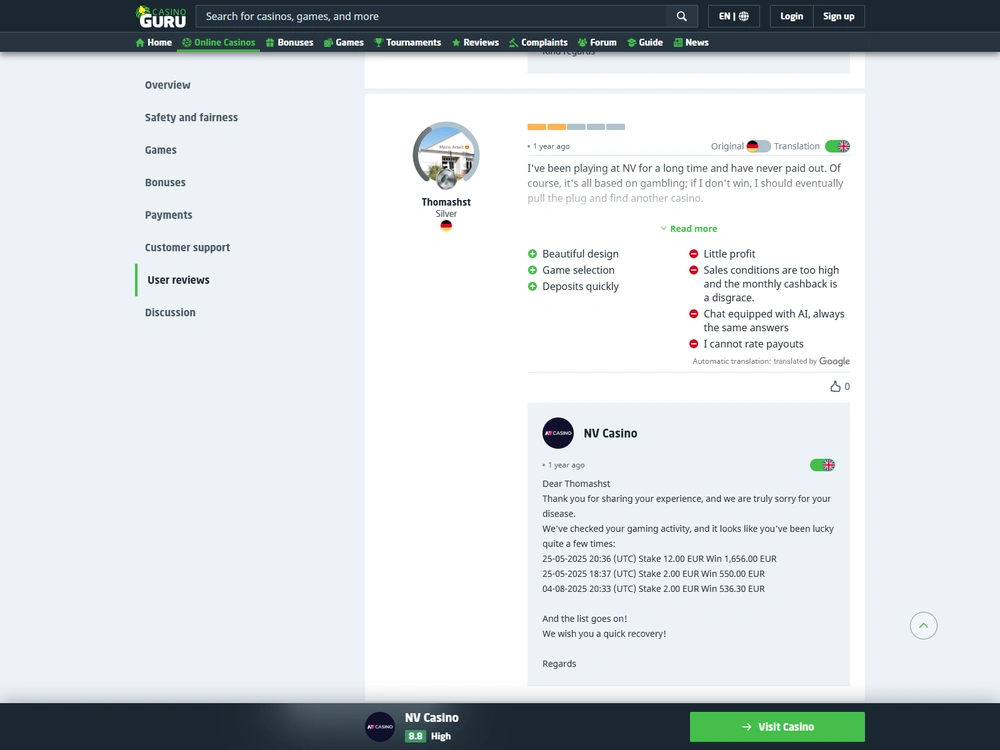
Eight minutes was the total time from sending the message to seeing the free bet in the account, including the wait for the first human reply. That timing belongs to this Polish enquiry. The 24/7 opening hours describe when you can start a chat. If you are following an unresolved request, use the history to check whether the agent acknowledged it, sent it to the relevant team or completed the correction.
How I confirmed the credit
I checked the mission card for the reward itself and found the 40 PLN free bet available to use. When I reopened the mission card and the chat history, the credit was still there and had appeared only once. The issue was the missing mission reward after the third slip settled. The settlement of the underlying bets had already been recorded separately.
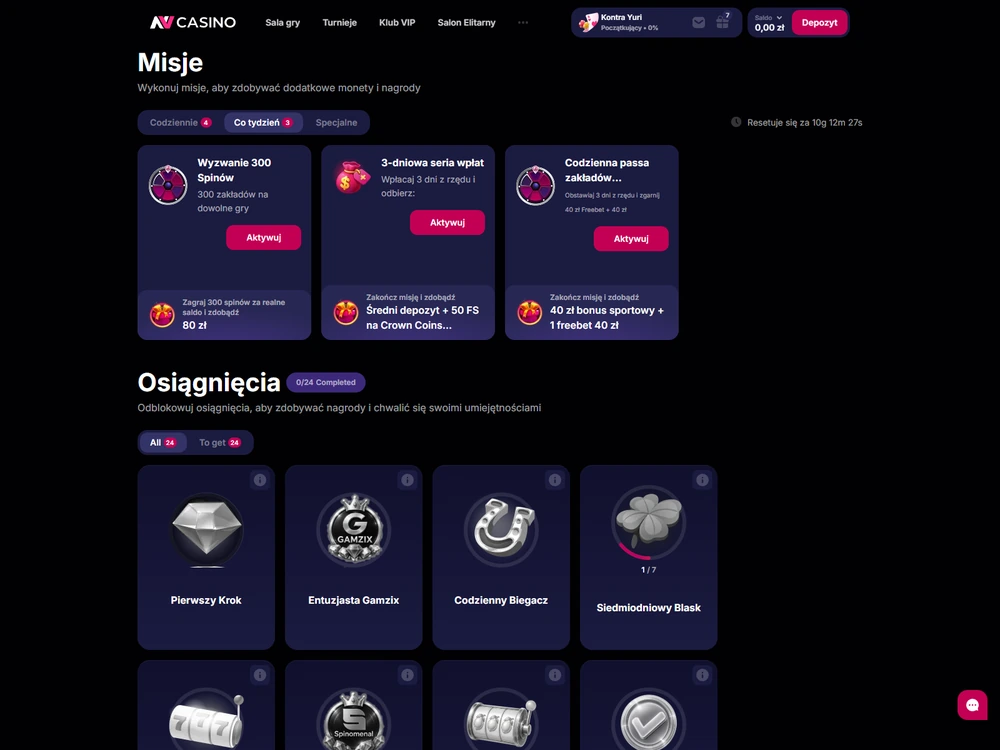
The correction took the mission reward from 0 PLN to a single 40 PLN free bet. The separate 25.70 PLN cash payout on one slip stayed as it was.
If you are checking a similar outcome, look for the promised reward in the part of your profile where it belongs. A free bet has a stated betting value. Money from a settled slip appears in the cash record.
When to make a formal complaint
If ordinary support leaves a dispute unresolved, use the operator’s formal complaints procedure. Keep the original exchange and any records the agent used. The chat history can establish what you reported, what the operator told you and which action is still outstanding. The complaints page explains how to file and which deadlines apply.
Support inside the operator’s chat deals with your casino account. The publisher’s editorial contact handles questions about this site’s articles. For a missing credit or a disputed payment, keep the support exchange with the operator and use the complaints route if you need a formal decision.
Start with the relevant record
If you’re unsure how to contact JV Casino support, open the operator’s chat widget and have the date, a short description and the relevant records ready. If you already have a thread, reopen it and add the next relevant detail. Check the account screen when the agent says the issue is resolved.
FAQ
Can I ask for support in English if the widget is in Polish?
Yes. Select Rozpocznij czat to start a chat and write your question in English. The widget labels can appear in Polish even on the operator’s English-language homepage.
Can I ask live chat to set a limit or start self-exclusion?
Yes. Start with live chat for a limit or to ask for self-exclusion. See Responsible Gambling for the request steps and product scope. Once the operator deactivates your account, it blocks logins, new account registration and withdrawals.
What should I do if the agent says a credit was added but I still see the old amount?
Check the relevant reward card or transaction record and reopen the original chat. Tell the agent which amount or status the account still shows. Include the corresponding reference so they can check that entry.
Can I ask the publisher to check my casino account?
Contact the operator’s support team for your casino account. Use Editorial Contact for corrections or other questions about this site’s content.